Read in: English | हिंदी
By Team Ishkol
Is your child really learning AI in Class 3? Yes, but not the way most parents imagine. The new AI curriculum from Class 3, launched by the Ministry of Education on 1 April 2026 for the 2026-27 session, starts with computational thinking: puzzles, patterns, step-by-step instructions and clue-solving. Screens and chatbots are not the starting point. Real “AI” topics come later, in the middle school years.
This guide explains what the Computational Thinking and Artificial Intelligence (CT&AI) curriculum says, what your child will do in class, how it is assessed, and simple things you can do at home without buying a gadget.
Key takeaways
- India’s Computational Thinking and AI (CT&AI) curriculum runs in Classes 3 to 8 from the 2026-27 session; it was launched on 1 April 2026.
- Classes 3 to 5: about 50 hours a year inside Maths and The World Around Us, built on puzzles, patterns and step-by-step rules.
- Classes 6 to 8: about 100 hours a year, including 20 hours of introductory AI and ideas such as bias and fairness.
- Assessment is continuous: CT puzzles, group activities and a Teacher Observation Journal, not rote memorisation.
- Parents can help at home with simple no-screen games; no gadget is needed.
What is the new AI curriculum from Class 3?
Union Education Minister Dharmendra Pradhan launched the Curriculum on Computational Thinking and Artificial Intelligence at Vigyan Bhawan, New Delhi. According to the official PIB release, “this curriculum will be implemented from classes 3rd to 8th, in the session 2026-27”. It is mapped to NEP 2020 and the National Curriculum Framework (NCF) 2023, and it follows a clear order: computational thinking first, as the base for learning AI in higher classes.
CBSE has published the curriculum document for Classes 3 to 8 along with circulars on student and teacher resource books. News reports say the material was developed by CBSE and NCERT with input from experts at IIT Madras, Azim Premji University and IIT Gandhinagar, and that three documents were released: the curriculum, a teachers’ handbook and teaching-learning material.
Which schools? The framework is published by CBSE. The official documents we read do not say whether it is compulsory for every school or how state boards will adopt it. The Education Secretary has asked for the material to be made available in other Indian languages, working with state SCERTs. If your child is in a state-board school, ask the school whether and when it will start.
What is computational thinking, in simple words?
The CBSE document describes computational thinking (CT) as a problem-solving approach made up of six skills: decomposition (breaking a big problem into small parts), pattern recognition, abstraction (focusing on what matters), algorithm design (writing clear steps), data analysis and troubleshooting (finding and fixing mistakes).
Your child already uses these skills when they follow a recipe, sort their toys or work out a riddle. The new curriculum makes them deliberate, so that children can later understand how computers and AI systems “think”.
What will my child learn in Classes 3 to 5?
In the preparatory stage (Classes 3 to 5), CT is given about 50 hours a year, built into Mathematics and The World Around Us (TWAU). It is taught by your child’s maths and other subject teachers, mostly through worksheets, games and puzzles. Schools may spend more time if they wish.
For Class 3, the curriculum lists four strands:
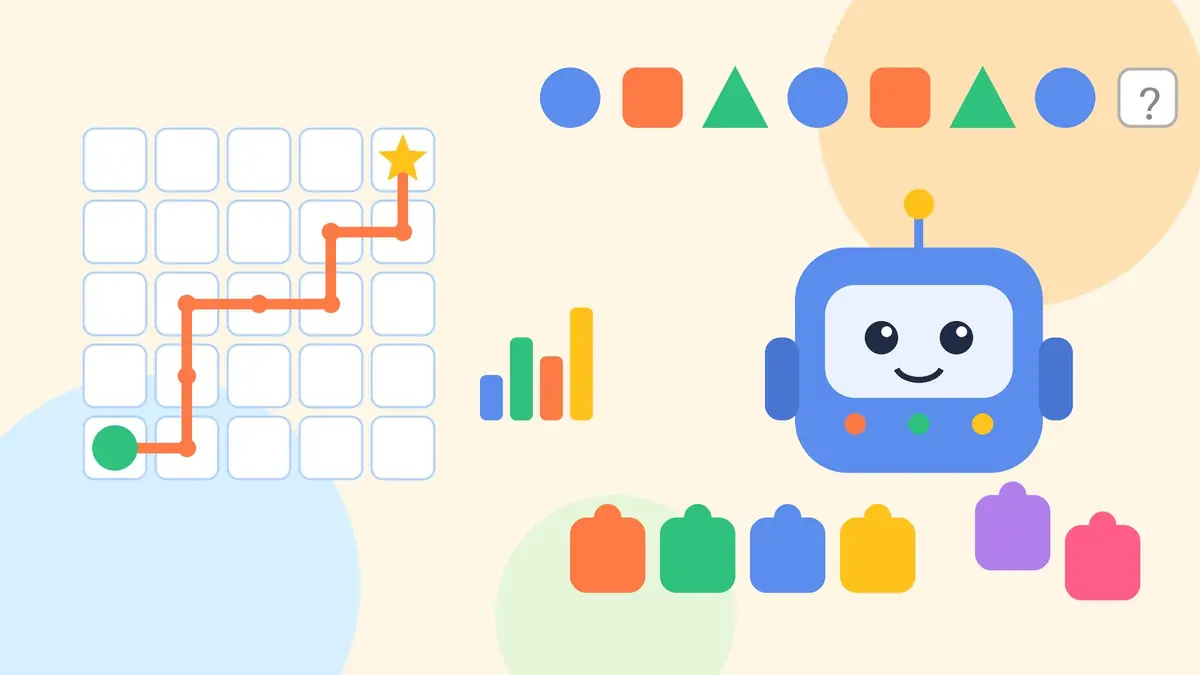
- Abstract thinking: how 3D objects look from different sides, what happens to shapes after flips, turns or folds, and finding missing parts of a pattern.
- Pattern recognition: spotting simple patterns in numbers, shapes or letters.
- Decomposition: solving problems with two or three clues, for example from a table or a set of number hints.
- Algorithmic thinking: following step-by-step rules, such as moving on a grid using directions, or ordering events using “before”, “after” and “in between” clues.
Classes 4 and 5 use the same strands with harder puzzles; Class 5 adds mirror and water images and patterns with more than one change. Across Classes 3 to 5, children also get to know the parts of a computer, basic file management, basic internet safety, educational software and block-based coding such as Scratch.
And in Classes 6 to 8?
The middle stage gets about 100 hours a year. Of this, the curriculum sets aside 40 hours for advanced CT and 20 hours for an introduction to AI. Subject teachers continue CT, while computer teachers teach AI literacy and assess projects that combine both. Goals at this stage include foundational AI knowledge and ethical ideas such as bias and fairness, so that students can make informed decisions about using AI.
How will it be assessed? No need to panic about marks
The CBSE framework moves away from rote learning and “traditional summative assessment” towards continuous, competency-based assessment. For Classes 3 to 5 it suggests written tests made of CT puzzles, group activities such as treasure hunts, and a Teacher Observation Journal. Classes 6 to 8 add practical work, thematic projects, reflections and group discussions. The documents we read do not give a marks scheme, so check with your school how this appears on report cards.
What parents can do at home
You do not need a laptop, an app subscription or coding classes to support this. Most CT practice is “unplugged” thinking you can do at the dinner table.
- Play “robot instructions”. Your child gives you exact steps to walk from the door to the kitchen (“2 steps forward, turn right”). If the “robot” bumps into a chair, they fix the steps. That is algorithm design and troubleshooting.
- Make patterns with everyday things. Spoons, bindis, coins or coloured pencils: make a pattern, hide one item, and ask what is missing. Then let your child make one for you.
- Break down a chore. Ask: “What are all the small steps to pack your school bag?” Writing the steps in order is decomposition.
- Collect small data. Count the colours of vehicles passing your gate for ten minutes, then draw a simple bar chart together. Ask: “What do we notice?”
- Talk about AI you already see. Phone face unlock, voice assistants and video suggestions all use AI. Ask, “How do you think it knows?” and “Can it be wrong?”
- Keep chatbots supervised. UNESCO’s guidance on generative AI in education proposes an age limit for children’s independent conversations with generative AI tools. Many apps also set their own minimum age in their terms. For primary-school children, use such tools together, if at all, and never share personal details.
- Balance screen time. CT is about thinking, not screen hours. If you have concerns about your child’s screen use, sleep or stress, speak to your paediatrician or a school counsellor.
Our guides on using worksheets at home and study habits for school students can help you turn these games into a short daily routine.
What teachers can do
- Use the CBSE curriculum and the teachers’ handbook as the base, and link CT puzzles to the maths or TWAU topic you are already teaching.
- Keep a simple observation journal: note who explains their steps, who spots patterns, and who fixes mistakes on their own.
- Run low-cost, device-free activities first: grid games on the floor with chalk, pattern cards, clue hunts in the classroom.
- Bring in local problems. The curriculum encourages students to look at challenges in their community and design solutions.
- Watch CBSE circulars for teacher training. Reports in May 2026 said training was planned for the summer vacation.
Why this matters: the bigger picture
Around the world, education bodies are thinking about how children should learn about AI. UNESCO’s AI competency framework for students sets out 12 competencies across four dimensions: a human-centred mindset, ethics of AI, AI techniques and applications, and AI system design. UNICEF’s Guidance on AI and children (version 3.0, December 2025) asks that AI systems keep children safe, protect their data and privacy, and support their well-being. India’s CT-first approach fits this: understand the thinking first, then the tools.
Strong basics still come first. Reading and number sense, the focus of NIPUN Bharat, remain the foundation that every CT puzzle builds on.
FAQs
Is AI compulsory from Class 3?
The Ministry announced that the CT&AI curriculum will be implemented in Classes 3 to 8 from 2026-27, and CBSE has published it. The documents we read do not state whether it is compulsory for every school or board, so please confirm with your child’s school.
Does my child need a computer or tablet?
Not to begin with. In Classes 3 to 5, most CT work happens through worksheets, puzzles and games during regular classes. Children are introduced to computer basics and block-based coding like Scratch, which the school provides.
Is computational thinking the same as coding?
No. Coding is one way to use computational thinking. CT is the wider skill of breaking down problems, finding patterns and writing clear steps, and it can be practised without any device.
How many hours a year is it?
The CBSE curriculum gives about 50 hours a year in Classes 3 to 5 (within Mathematics and TWAU) and about 100 hours a year in Classes 6 to 8. Schools may spend more time.
Should my child use ChatGPT-style tools for homework?
Not on their own at this age. UNESCO proposes an age limit for independent use of generative AI, and many tools set their own minimum age. Use them together with your child, if at all, and focus on thinking skills.
Sources
- PIB, Ministry of Education: Launch of Curriculum on Computational Thinking and AI (1 April 2026)
- CBSE: Computational Thinking and Artificial Intelligence, Classes 3-8: Curriculum
- CBSE Academic: Circulars Acad-15/2026 and Acad-18/2026
- Careers360: CBSE launches computational thinking, AI curriculum for Classes 3 to 8 (1 April 2026)
- Free Press Journal: Teacher training to begin in summer break (May 2026)
- UNESCO: AI competency framework for students (2024)
- UNESCO: Guidance for generative AI in education and research (2023)
- UNICEF Innocenti: Guidance on AI and children, version 3.0 (2025)
Want more puzzle-style practice for your child? Explore Ishkol’s free worksheets, quizzes and games, or ask about Smart Kids for strong foundations in the early years.